Field note
Keyboard Paths Through a Casino Cashier
A keyboard user should be able to open the cashier, pick a method, enter an amount, set a limit and confirm, in a sensible order, seeing where they are at every step. The weak points are usually provider windows, custom controls and sticky elements.
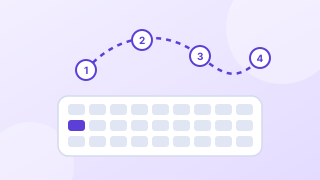
The path to test
Start on any page with the mouse put away. Press Tab until you reach the deposit button, open the cashier and complete a deposit in a test account. Write down every stop. The path below is what a keyboard user should experience; any step that is missing, out of order or invisible is a finding.
- Deposit button in the header receives focus, with a clearly visible focus indicator.
- The cashier opens and focus moves into it, starting at its heading or first control.
- Payment methods are reachable with Tab and selectable with Enter or Space, and the selected one is announced.
- The amount field has a visible label, and hint text with the minimum is read with it.
- The limit link or prompt is reachable before the confirm button.
- Confirm submits; any error moves focus to an error summary.
- If a provider window opens, focus moves into it and returns to the cashier when it closes.
- Escape or a labeled close button closes the cashier and returns focus to the deposit button.
Where keyboard paths break
| Failure | WCAG 2.2 | Fix |
|---|---|---|
| Payment method tiles are divs with click handlers only | 2.1.1 Keyboard (A) | Use buttons or radio inputs |
| Focus stays behind the cashier when it opens | 2.4.3 Focus Order (A) | Move focus into the dialog and keep it there until it closes |
| No visible focus on custom buttons | 2.4.7 Focus Visible (AA) | Keep a clear focus outline with enough contrast |
| Focused control hidden behind a sticky footer | 2.4.11 Focus Not Obscured (Minimum) (AA) | Add scroll padding equal to the footer height |
| Provider iframe traps focus or cannot be reached | 2.1.1 and 2.1.2 | Test the provider's window and agree fixes with the provider |
| Amount stepper works only by dragging | 2.1.1 Keyboard (A) | Allow typing and arrow keys |
Focus order follows meaning
Focus order should match the order a sighted player reads the cashier: method, amount, limit, confirm. Layouts built with CSS grid or absolute positioning can put the visual and DOM order out of step, so the confirm button gets focus before the amount. Read the page with styles turned off; if the order makes sense there, it will make sense to a keyboard.
Visible focus is a design decision
Many casino themes remove the browser's focus ring because it clashes with dark backgrounds. Replace it rather than remove it: a 3-pixel outline in a color that contrasts with both the control and the background, offset by 2 pixels so it does not hide the control's own border. This site uses an amber outline for the same reason.
Worked example (invented)
A review log entry: "Cashier, step 3. After choosing a card, Tab moves to the footer's live chat button, then back up to the amount field. Focus order does not follow reading order (WCAG 2.4.3). Severity: slows the task. Suggested fix: move the chat button after the cashier in the DOM."
Questions
What is a keyboard trap?
A control or window that focus can enter but not leave with the keyboard. In cashiers it usually comes from embedded provider windows. WCAG 2.2 criterion 2.1.2 says focus must be able to move away using the keyboard.
Should the cashier open as a dialog or a page?
Either works. A dialog needs focus management: move focus in on open, keep it inside, and return it on close. A full page avoids those problems but must keep the player's place in the product.
Sources
- W3C, Web Content Accessibility Guidelines (WCAG) 2.2, W3C Recommendation, December 12, 2024.
- W3C WAI, Understanding Success Criterion 2.5.8: Target Size (Minimum), updated May 11, 2026.
Every source was read on October 27, 2026. How we choose and date sources: data sources.