Research paper
Error Messages That Help People Recover
A good error message tells the player what went wrong and how to fix it, next to the field that needs fixing, in words a screen reader can announce. Casino forms carry extra weight because errors at sign-up or in the cashier can block access to money.
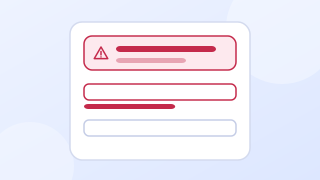
In brief
- WCAG 2.2 criterion 3.3.1 (level A): when an input error is detected automatically, the item in error is identified and the error is described to the user in text.
- Criterion 3.3.3 (level AA) asks for a suggested correction when one is known, unless it would compromise security.
- Put each message next to its field and list all errors in a summary at the top that links to each field.
- Write the cause and the fix in plain words. Avoid "invalid", "illegal" and "you forgot".
What the standards require
WCAG 2.2 criterion 3.3.1, Error Identification, applies at level A: "If an input error is automatically detected, the item that is in error is identified" and "the error is described to the user in text." Text matters because a red border alone fails people who cannot see color differences and people using screen readers. Criterion 3.3.3, Error Suggestion, at level AA, asks that when a correction is known, it is offered, unless that would put security or the purpose of the content at risk.
The W3C forms tutorial advises: "Provide feedback to users about the results of their form submission, whether successful or not." It also suggests: "When errors occur, it is helpful to list them at the top of the page, before the form." When messages appear without a page reload, criterion 4.1.3 on status messages applies, so the summary should be announced.
How to write the message
The GOV.UK Design System gives the clearest public guidance on wording. Its advice is to "Describe what has happened and tell them how to fix it", to use plain English and positive language, and to avoid "'valid' and 'invalid' because they do not add anything to the message". It also warns against words like "'forbidden', 'illegal', 'you forgot' and 'prohibited'."
| Field | Unhelpful | Helpful |
|---|---|---|
| Date of birth | Invalid date | Enter your date of birth with day, month and year, for example 27 3 1990 |
| Password | Password does not meet requirements | Your password needs at least 12 characters. It has 9 |
| Postcode or ZIP code | Error | Enter a postcode in the format SW1A 1AA |
| Deposit amount | Amount not allowed | Enter an amount of 10 or more. The minimum for this card is 10 |
| Deposit amount (limit) | Transaction failed | This deposit would go over your daily limit of 50. You can deposit up to 20 more today |
| Card number | You forgot the card number | Enter the long number on the front of your card |
Where to put the message
- Next to the field. The GOV.UK guidance is to "Show an error message next to the field and in the Error summary component when there is a validation error."
- A summary at the top. List every error, link each one to its field, and move focus to the summary after submission so keyboard and screen reader users start there. See error summary in the glossary.
- Connected in code. Link the message to the field with
aria-describedbyand mark the field witharia-invalid, so the message is read when the field gets focus. - Kept values. Keep everything the player typed, apart from passwords where the security model requires clearing them.
- Timing. Check a field when the player leaves it or submits, not on every keystroke, which interrupts people typing slowly.
Cashier errors are different
Errors in the cashier involve money, so the message must make the state clear: was the player charged or not? "Your card was not charged" or "This deposit went through; your balance is now 60" removes the fear that drives repeated attempts and support contacts. When a deposit is blocked by the player's own limit, say so directly and say when the limit resets, rather than showing a generic payment failure. The deposit information paper covers limit wording in Great Britain.
Worked example (invented)
After submitting a sign-up form with two problems, focus moves to a box at the top headed "There is a problem" with two links: "Enter your date of birth with day, month and year" and "Your password needs at least 12 characters". Each link moves focus to its field, where the same message sits above the input in red text with a warning icon, and the field keeps a red border.
Questions
Should errors appear while the player is typing?
Usually not. Checking on every keystroke shows errors before the player has finished and can be read aloud repeatedly by screen readers. Check when the player leaves the field or submits the form.
Is a red border enough to show an error?
No. WCAG 2.2 criterion 3.3.1 requires the error to be described in text, and criterion 1.4.1 says color must not be the only visual means of conveying information. Add a written message and, ideally, an icon.
Should a cashier error say why a card was declined?
Say what you know and what the player can do. If the card issuer declined the payment, say that the card was not charged and suggest contacting the issuer or using another method. Do not guess at reasons you cannot confirm.
Sources
- W3C, Web Content Accessibility Guidelines (WCAG) 2.2, W3C Recommendation, December 12, 2024.
- W3C WAI, Understanding Success Criterion 3.3.1: Error Identification, updated June 12, 2026.
- W3C WAI, User Notification (Forms Tutorial), updated June 3, 2022.
- GOV.UK Design System, Error message, no date shown.
- W3C WAI, Understanding Success Criterion 4.1.3: Status Messages, updated May 11, 2026.
Every source was read on October 27, 2026. How we choose and date sources: data sources.